Custom AI pipeline
Overview
You can create your own ai pipelines for primary and secondary inference instead of using a simple inference network. We let the developers add their own element ordering as an array in the primary and secondary fields, to be used on the construction of this pipeline. If primary or secondary contains a dictionary, a single nvinfer element will be added to the pipeline, if instead these fields contain an array of dictionaries EdgeStream will form a pipeline with the element present in the array.
Considerations
Some important considerations with this feature:
The elements will be added to the pipeline in the same order as they are specified in the array.
Deepstream doesn’t support linking multiple primary inference elements back to back, so the primary array is limited to one nvinfer element.
emcustom operates on CPU. If you add it to the pipeline this will cause an additional memory copy and a dip in performance
Make sure that if you access metadata in emcustom there is an element adding it before. For example, do not access detection meta before the primary nvinfer element.
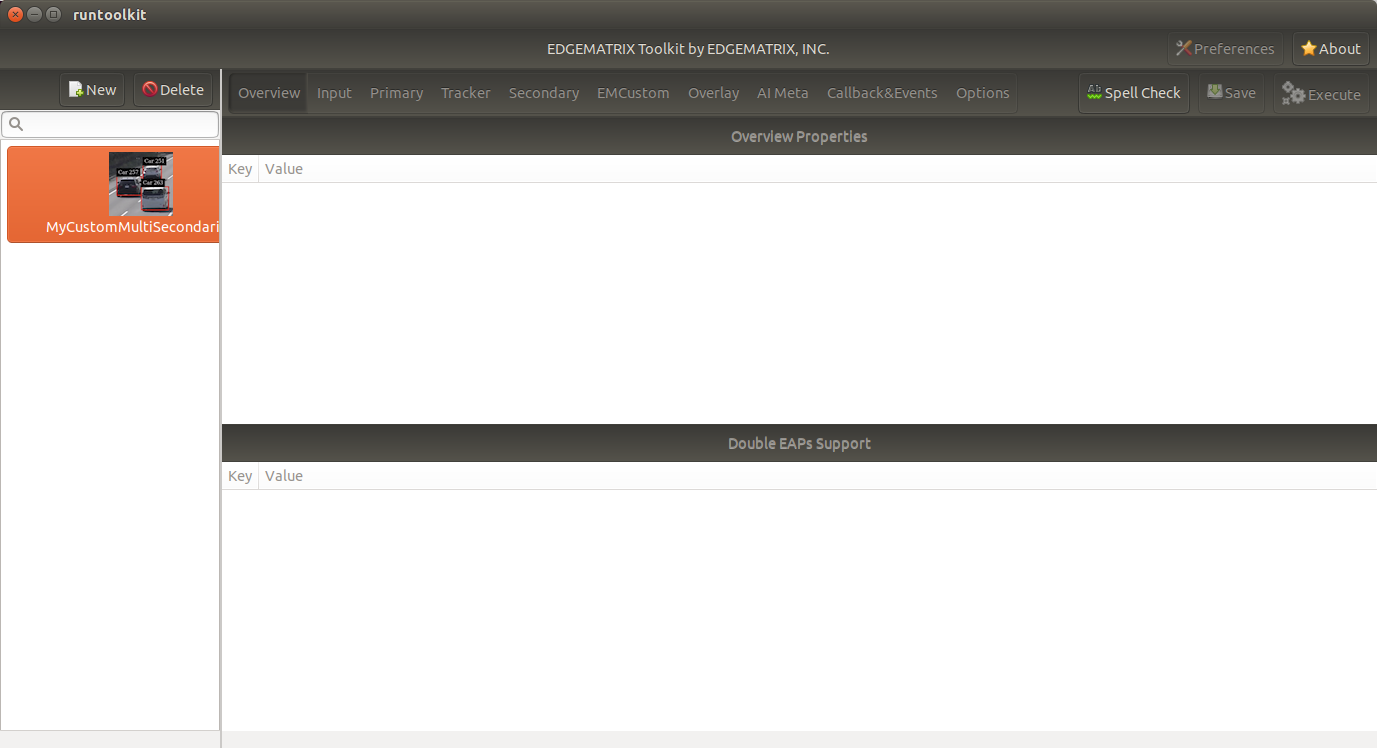
You can not edit pipeline details in the GUI, which will be simply disabled for an app with a custom pipeline as below. So, you have to write such a config file by yourself. But all the features rest are available.
Possible Combinations
The following examples illustrate some possible combinations available with this feature:
Custom pre-processing and post-processing on the primary
This will be configured in a config as follows.
"primary": [
    {
      "emcustom": {...}
    },
    {
      "nvinfer": {...}
    },
    {
      "emcustom": {...}
    }
],
"secondary": [
    {
      "nvinfer": {...}
    }
]
And it can be illustrated as below.

Multiple secondaries
This will be configured in a config as follows.
"primary": [
    {
      "nvinfer": {...}
    }
],
"secondary": [
    {
      "nvinfer": {...}
    },
    {
      "nvinfer": {...}
    },
    {
      "nvinfer": {...}
    }
]
And it can be illustrated as below.

In the templates, this is available as EMI Vehicle Multiple Secondaries.
Post-processing on primary and secondary
This will be configured in a config as follows.
"primary": [
    {
      "nvinfer": {...}
    },
    {
      "emcustom": {...}
    }
],
"secondary": [
    {
      "nvinfer": {...}
    },
    {
      "emcustom": {...}
    }
]
And it can be illustrated as below.

In the templates, this is available as EMI Vehicle PrePost EMCustom.