Quick Start
- Update to the latest version
- Check the current version
- Run an update script
- Create a new EAP by copying from a template EAP
- runedgestreamsdk and sdk_home
- Launch the EdgeStream SDK application
- Create a new EAP
- Select the EAP
- Validate the new EAP
- Open a validation dialog
- Run a validation
- Use your own sample siginal to validate
- Test the new EAP
- Execute, Choose a stream and Create an EAP package
- Play a pipeline
- Stop a pipeline
- Movie files made by record actions
Update to the latest version
Before starting, please update to the latest version.
Check the current version
Run the following command to check the currently installed version.
nvidia@nvidia-desktop:~/projects/EdgeStreamSDK$ pip3 show edgestreamsdk
Name: edgestreamsdk
Version: 1.1.0
Summary: edgestreamsdk allows an AI model developer to build, test, upload an Edge Stream Application Package.
Home-page: https://github.com/edge-ai/EdgeStreamSDK
Author: Takenori Sato
Author-email: tsato@edgematrix.com
License: Proprietary
Location: /home/nvidia/.local/lib/python3.6/site-packages
Requires: requests, boto3, PyGObject, qtfaststart, pycairo, edgestream
Required-by:
In the example above, the version is 1.0.1.
Run an update script
Run the following command to try updating to the latest version.
nvidia@nvidia-desktop:/mnt/nvme/sdk_home$ bin/update_sdk.sh
Looking in indexes: http://54.250.165.6:80/
Requirement already satisfied: edgestreamsdk in /home/nvidia/.local/lib/python3.6/site-packages (1.1.0)
Requirement already satisfied: edgestream in /home/nvidia/.local/lib/python3.6/site-packages (from edgestreamsdk) (1.4.4)
Requirement already satisfied: qtfaststart in /home/nvidia/.local/lib/python3.6/site-packages (from edgestreamsdk) (1.8)
Requirement already satisfied: PyGObject in /usr/lib/python3/dist-packages (from edgestreamsdk) (3.26.1)
Requirement already satisfied: requests in /usr/local/lib/python3.6/dist-packages (from edgestreamsdk) (2.22.0)
Requirement already satisfied: pycairo in /usr/lib/python3/dist-packages (from edgestreamsdk) (1.16.2)
Requirement already satisfied: boto3 in /home/nvidia/.local/lib/python3.6/site-packages (from edgestreamsdk) (1.12.2)
Requirement already satisfied: gpustat>=0.6.0 in /home/nvidia/.local/lib/python3.6/site-packages (from edgestream->edgestreamsdk) (0.6.0)
Requirement already satisfied: restrictedpython>=5.0 in /home/nvidia/.local/lib/python3.6/site-packages (from edgestream->edgestreamsdk) (5.0)
Requirement already satisfied: jsonschema>=3.0.0 in /home/nvidia/.local/lib/python3.6/site-packages (from edgestream->edgestreamsdk) (3.2.0)
Requirement already satisfied: pynput>=1.1 in /home/nvidia/.local/lib/python3.6/site-packages (from edgestream->edgestreamsdk) (1.6.7)
Requirement already satisfied: click>=7.0 in /home/nvidia/.local/lib/python3.6/site-packages (from edgestream->edgestreamsdk) (7.0)
Requirement already satisfied: xlib>=0.10 in /home/nvidia/.local/lib/python3.6/site-packages (from edgestream->edgestreamsdk) (0.21)
Requirement already satisfied: psutil>=3.0 in /usr/local/lib/python3.6/dist-packages (from edgestream->edgestreamsdk) (5.7.0)
Requirement already satisfied: chardet<3.1.0,>=3.0.2 in /usr/lib/python3/dist-packages (from requests->edgestreamsdk) (3.0.4)
Requirement already satisfied: urllib3!=1.25.0,!=1.25.1,<1.26,>=1.21.1 in /usr/lib/python3/dist-packages (from requests->edgestreamsdk) (1.22)
Requirement already satisfied: idna<2.9,>=2.5 in /usr/lib/python3/dist-packages (from requests->edgestreamsdk) (2.6)
Requirement already satisfied: certifi>=2017.4.17 in /usr/lib/python3/dist-packages (from requests->edgestreamsdk) (2018.1.18)
Requirement already satisfied: jmespath<1.0.0,>=0.7.1 in /home/nvidia/.local/lib/python3.6/site-packages (from boto3->edgestreamsdk) (0.9.4)
Requirement already satisfied: s3transfer<0.4.0,>=0.3.0 in /home/nvidia/.local/lib/python3.6/site-packages (from boto3->edgestreamsdk) (0.3.3)
Requirement already satisfied: botocore<1.16.0,>=1.15.2 in /home/nvidia/.local/lib/python3.6/site-packages (from boto3->edgestreamsdk) (1.15.2)
Requirement already satisfied: blessings>=1.6 in /home/nvidia/.local/lib/python3.6/site-packages (from gpustat>=0.6.0->edgestream->edgestreamsdk) (1.7)
Requirement already satisfied: six>=1.7 in /usr/local/lib/python3.6/dist-packages (from gpustat>=0.6.0->edgestream->edgestreamsdk) (1.14.0)
Requirement already satisfied: nvidia-ml-py3>=7.352.0 in /home/nvidia/.local/lib/python3.6/site-packages (from gpustat>=0.6.0->edgestream->edgestreamsdk) (7.352.0)
Requirement already satisfied: setuptools in /usr/lib/python3/dist-packages (from restrictedpython>=5.0->edgestream->edgestreamsdk) (39.0.1)
Requirement already satisfied: attrs>=17.4.0 in /home/nvidia/.local/lib/python3.6/site-packages (from jsonschema>=3.0.0->edgestream->edgestreamsdk) (19.3.0)
Requirement already satisfied: pyrsistent>=0.14.0 in /home/nvidia/.local/lib/python3.6/site-packages (from jsonschema>=3.0.0->edgestream->edgestreamsdk) (0.15.7)
Requirement already satisfied: importlib-metadata; python_version < "3.8" in /home/nvidia/.local/lib/python3.6/site-packages (from jsonschema>=3.0.0->edgestream->edgestreamsdk) (1.5.0)
Requirement already satisfied: python-xlib>=0.17; "linux" in sys_platform in /home/nvidia/.local/lib/python3.6/site-packages (from pynput>=1.1->edgestream->edgestreamsdk) (0.26)
Requirement already satisfied: python-dateutil<3.0.0,>=2.1 in /usr/lib/python3/dist-packages (from botocore<1.16.0,>=1.15.2->boto3->edgestreamsdk) (2.6.1)
Requirement already satisfied: docutils<0.16,>=0.10 in /home/nvidia/.local/lib/python3.6/site-packages (from botocore<1.16.0,>=1.15.2->boto3->edgestreamsdk) (0.15.2)
Requirement already satisfied: zipp>=0.5 in /home/nvidia/.local/lib/python3.6/site-packages (from importlib-metadata; python_version < "3.8"->jsonschema>=3.0.0->edgestream->edgestreamsdk) (3.0.0)
Name: edgestreamsdk
Version: 1.1.0
Summary: edgestreamsdk allows an AI model developer to build, test, upload an Edge Stream Application Package.
Home-page: https://github.com/edge-ai/EdgeStreamSDK
Author: Takenori Sato
Author-email: tsato@edgematrix.com
License: Proprietary
Location: /home/nvidia/.local/lib/python3.6/site-packages
Requires: requests, boto3, qtfaststart, pycairo, edgestream, PyGObject
Required-by:
In the example above, the sdk was confirmed as the latest version.
Create a new EAP by copying from a template EAP
At first, let’s explore a command line program and the main directory you work on. Then, launch the EdgeStream SDK application, then create a new EAP application from one of templates.
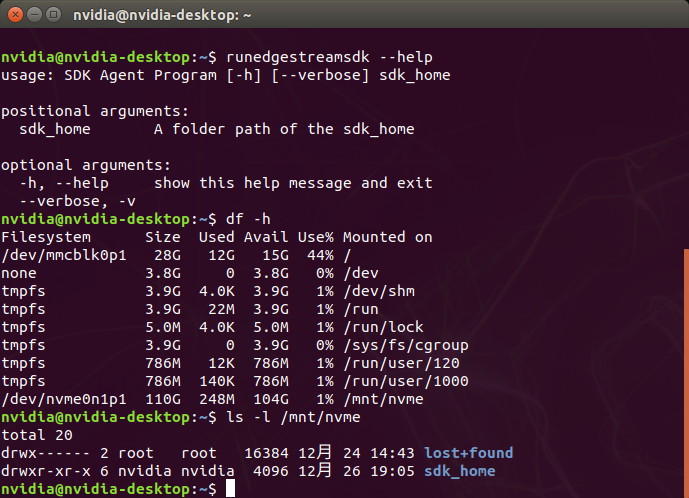
runedgestreamsdk and sdk_home
The command line program to launch the sdk application is runedgestreamsdk.
And the main directory you work on is sdk_home, which is mounted on a secondary drive.
Launch the EdgeStream SDK application
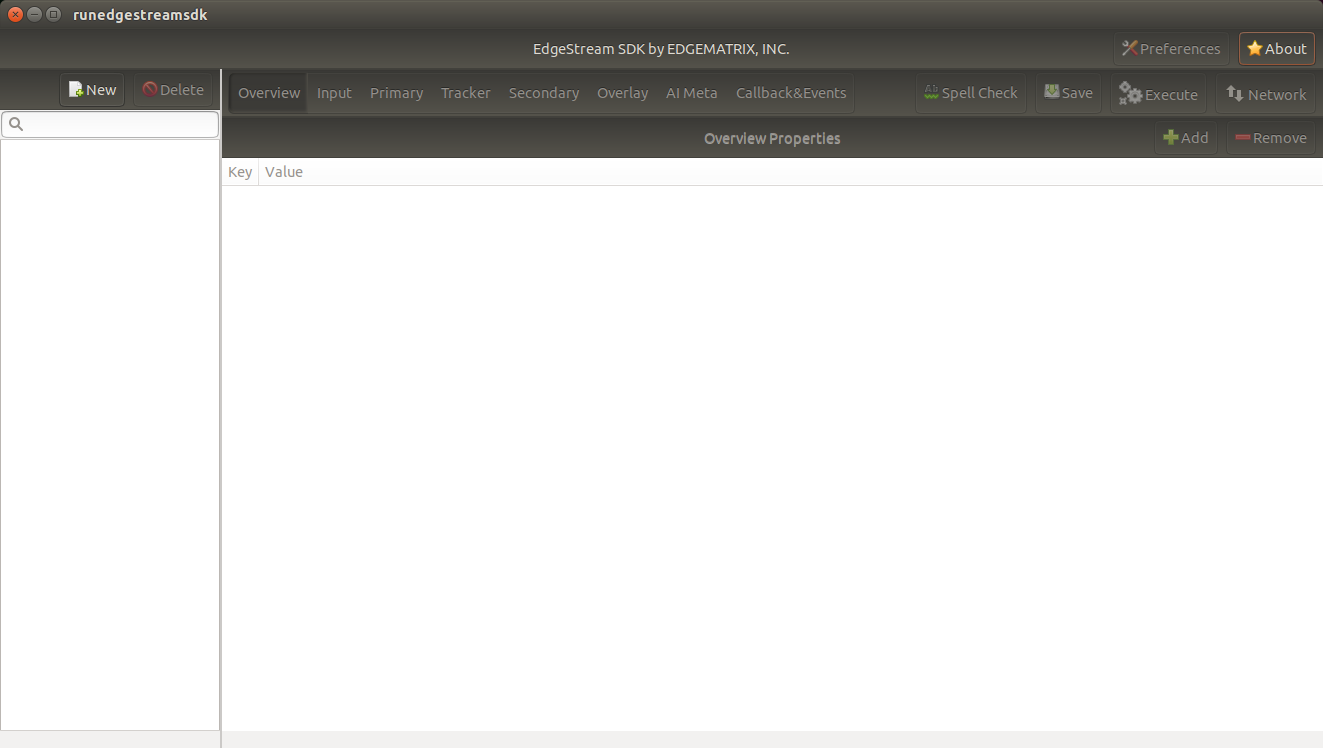
Launch the EdgeStreamSDK application by executing the edgestreamsdk program.
nvidia@nvidia-desktop:/mnt/nvme/sdk_home$ runedgestreamsdk ./
Then, the following window will be shown.
By clicking “About” button, you can check the version, v1.1.0.
Now this time, let’s create a new applicatoin that counts a vehicle with its car make.
Create a new EAP
Press New, then you will see a dialog below.
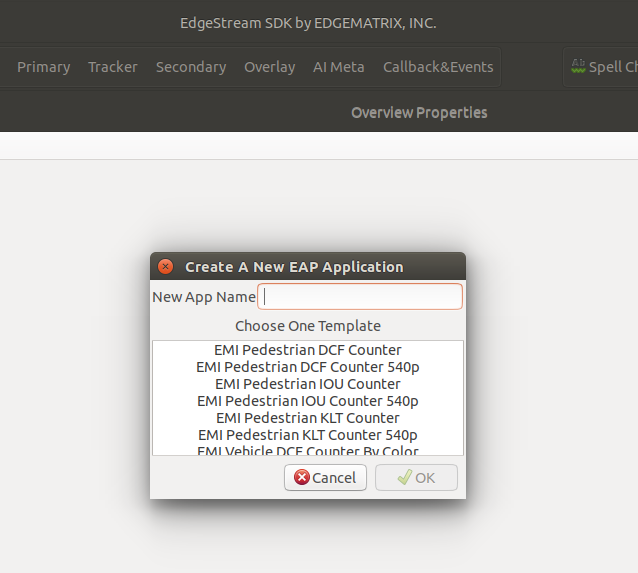
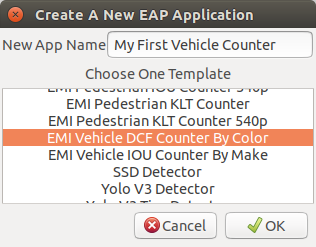
Then, enter “My First Vehicle Counter”, select “EMI Vehicle DCF Counter By Color”, then click OK.
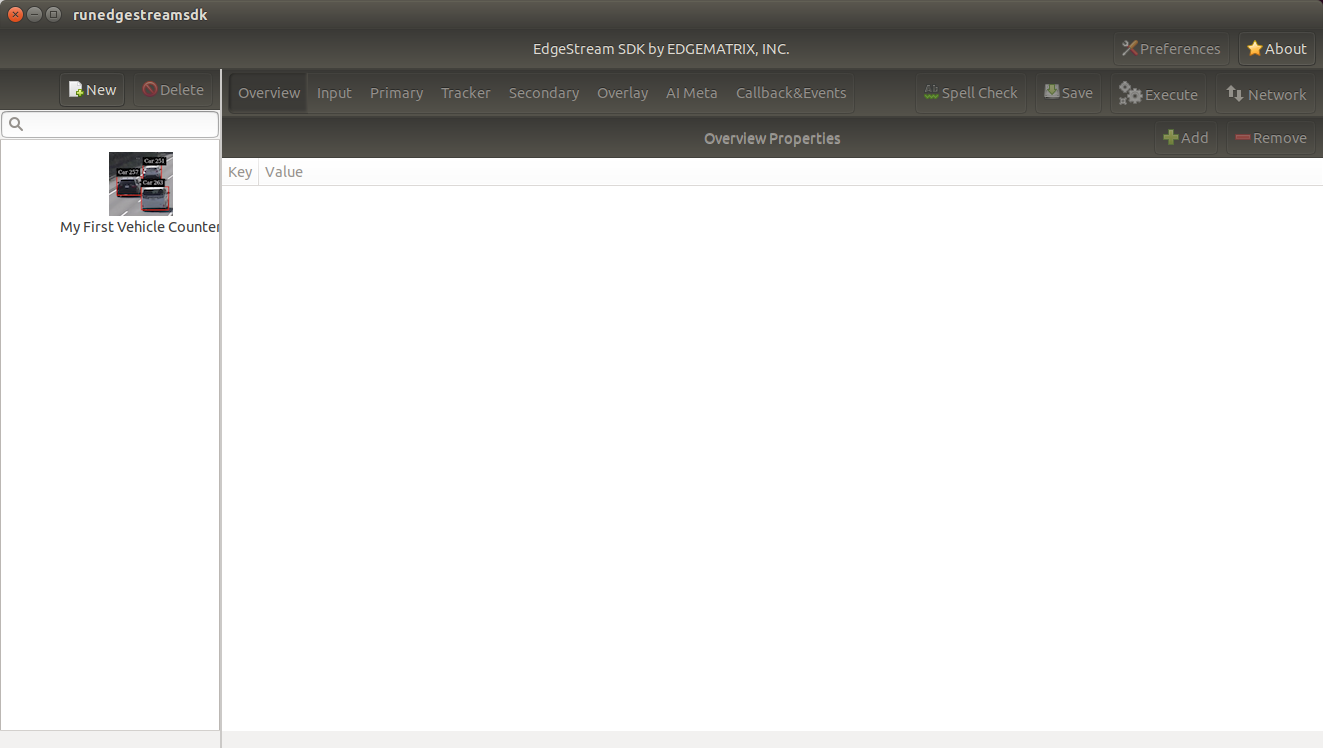
This will copy the template to create your application. Now the SDK window shows your application as follows.
As below, your application folder contains exactly the same structure as the copied template folder.

Select a new EAP
Now let’s select the newly created EAP application in the sidebar.
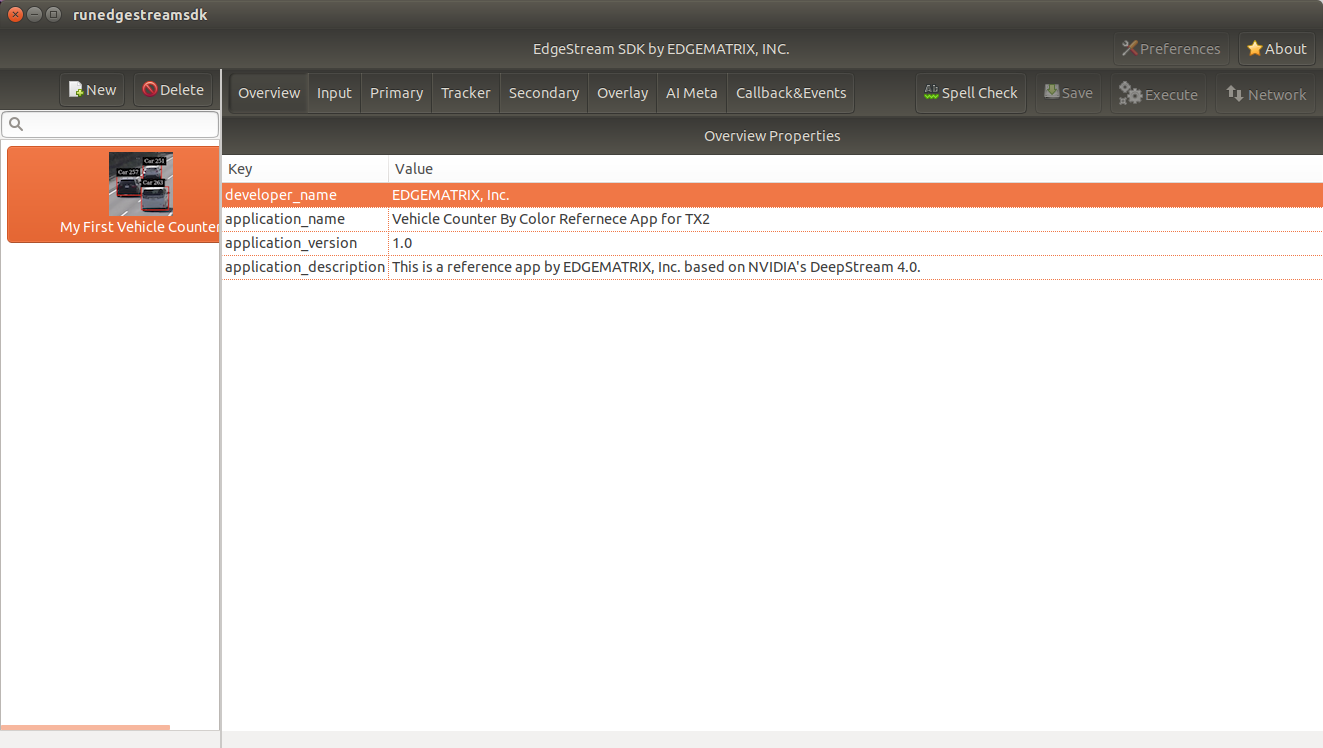
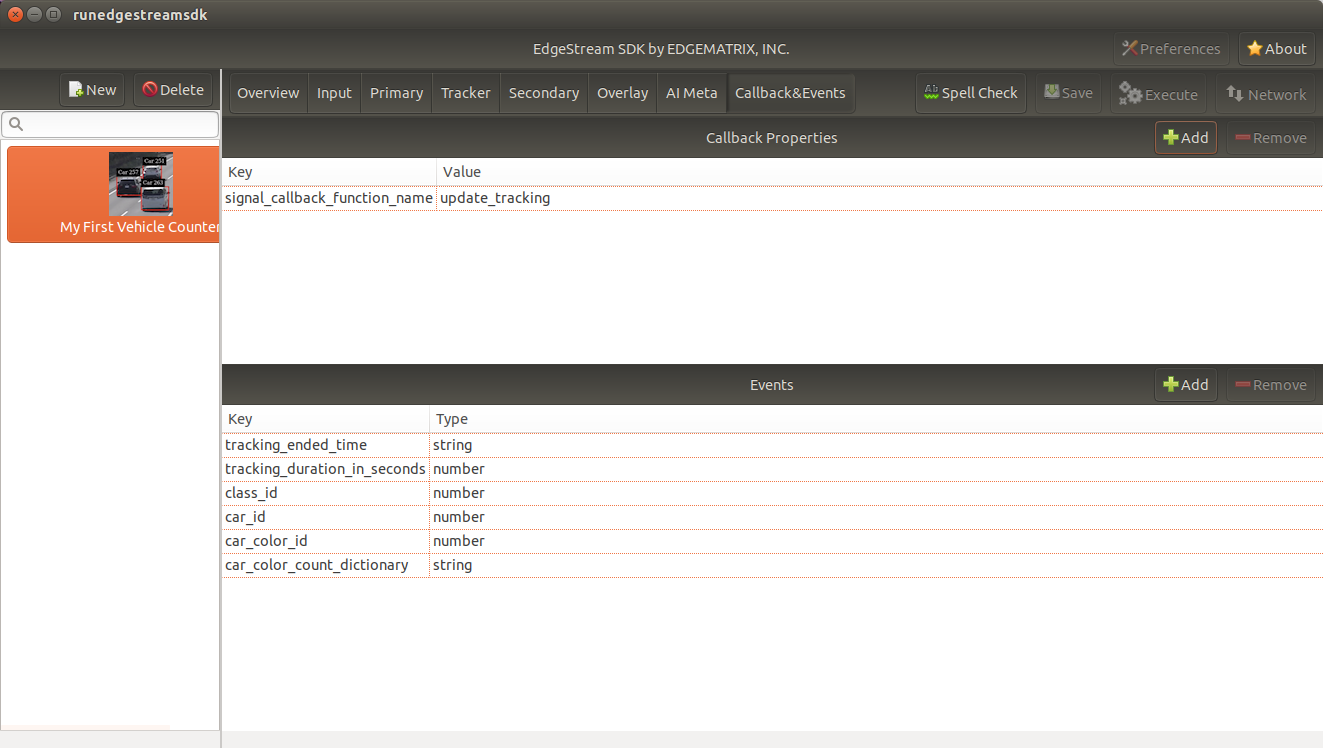
Then, it will show you all the configurations. By clicking each of configuration groups, you can see its detail. For example, you can see the followings when you click “Callback&Events”.
Let’s check what’s inside the new application folder.
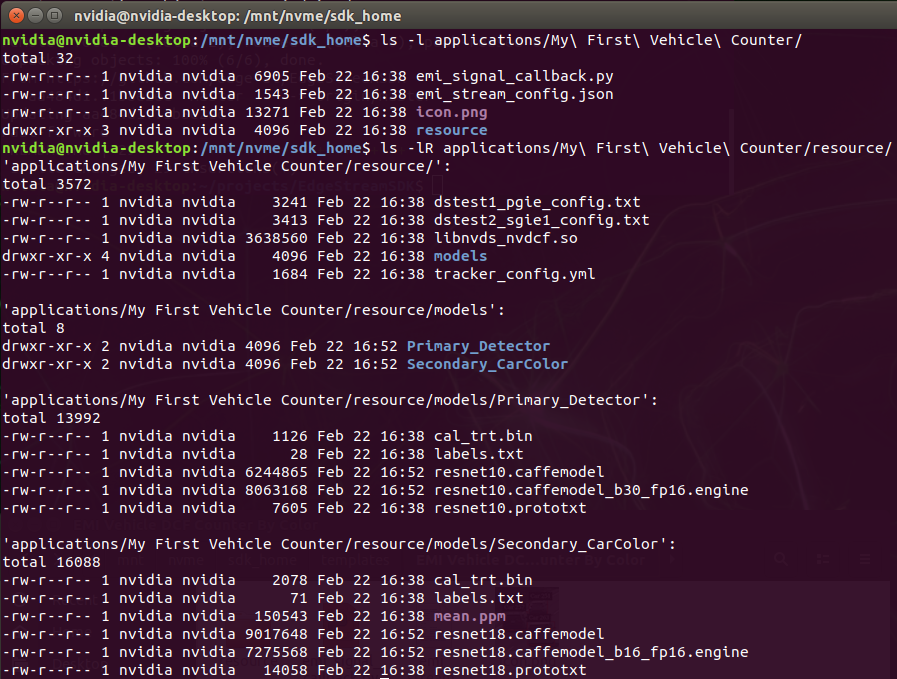
Please note for now that this application uses trained model binaries as they are. You will see later how they are protected as an EAP package.
Validate the new EAP
In a real project, you will customize this app as needed. Then, once ready, the first thing to try is to validate if it is valid.
Open a validation dialog
Press “Spell Check” button, which sounds odd, but was chosen among options available only for now. Then, you will see a dialog as below.
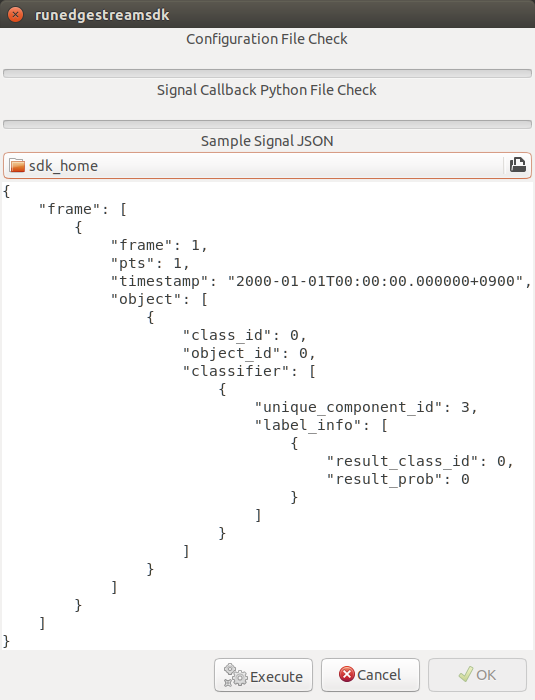
This shows two check results not shown yet and the sample signal json to test the callback function.
Run a validation
Press “Execute”, and see the results.
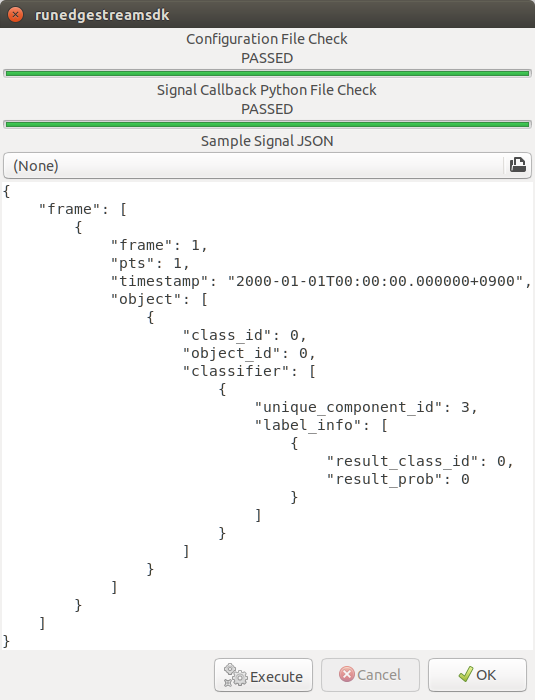
Nothing is customized yet, so it should pass as above.
Use your own sample siginal to validate
But, if you have customized your callback, then, you are likely to test a different sample json. In such a case, you can write your own sample, then use for this validation.
Press the file chooser, select your file, then, you are ready to validate with your own sample as below.
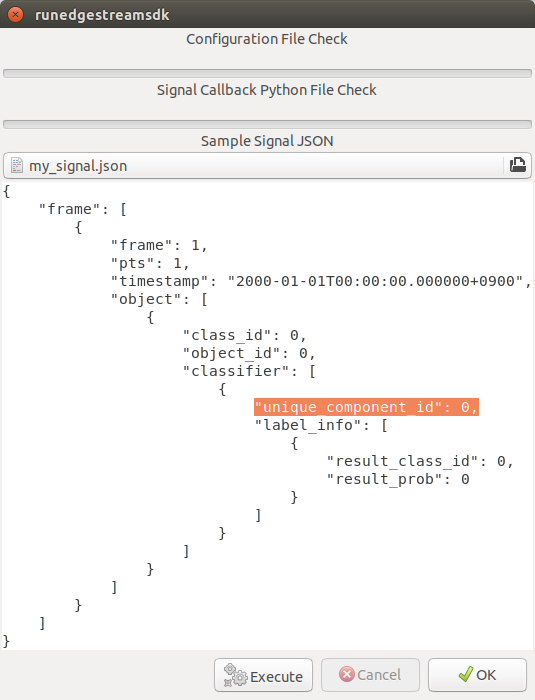
In this case, the value of “unique_component_id” was changed.
Test the new EAP
If you pass the validation, “Execute” button becomes active for you to run your application.
Execute, Choose a stream and Create an EAP package
By clicking the “Execute” button, it will show you an execution dialog.
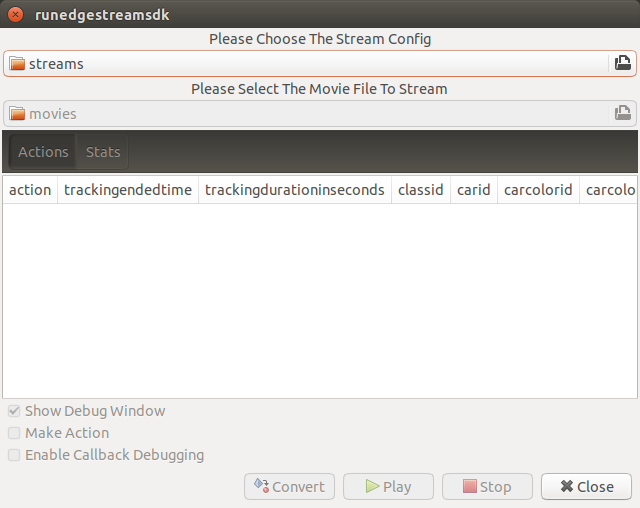
At first, you need to choose a stream where your application will run. By default, “streams” folrder of the sdk home directory is chosen. Click the file chooser, open “vehicle_stream” folder, then select “vehicle_counter_stream_configuration.json”.
The “streams” folder and the “movies” folder looks as below.
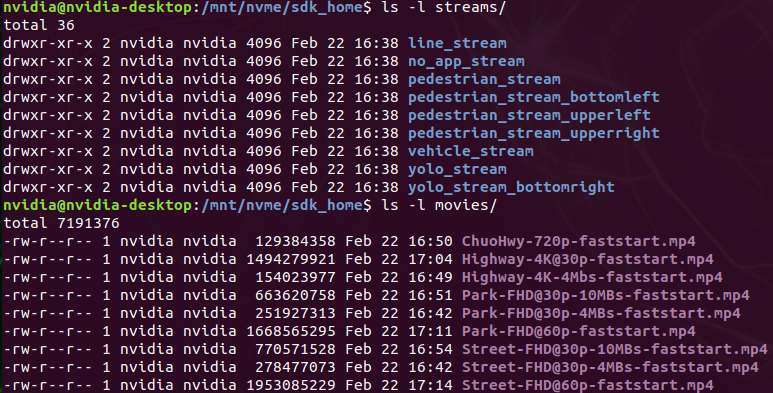
Next, choose a movie file to use as a local RTSP streaming as below.
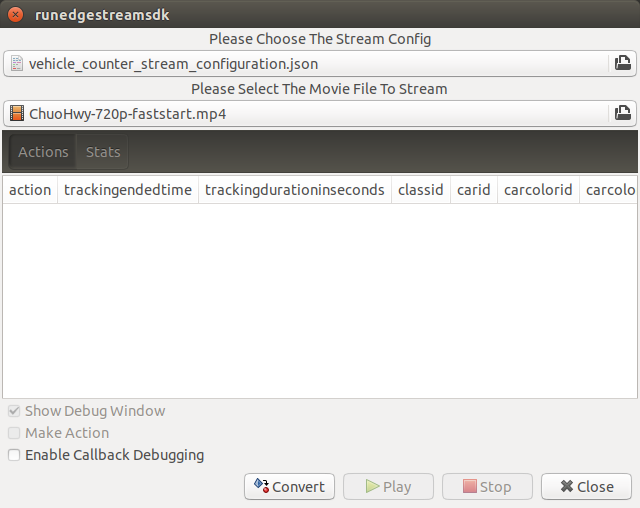
Now, “Convert” button becomes active for you to make an EAP package in the chosen stream folder.
Press “Convert”, then the packaging task will run for a while as a spinner is shown. The dialog window will looks as below once completes.
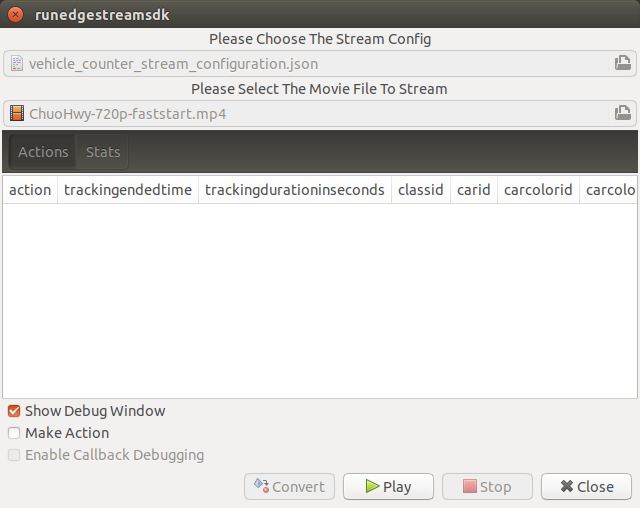
Let’s check the EAP package built.
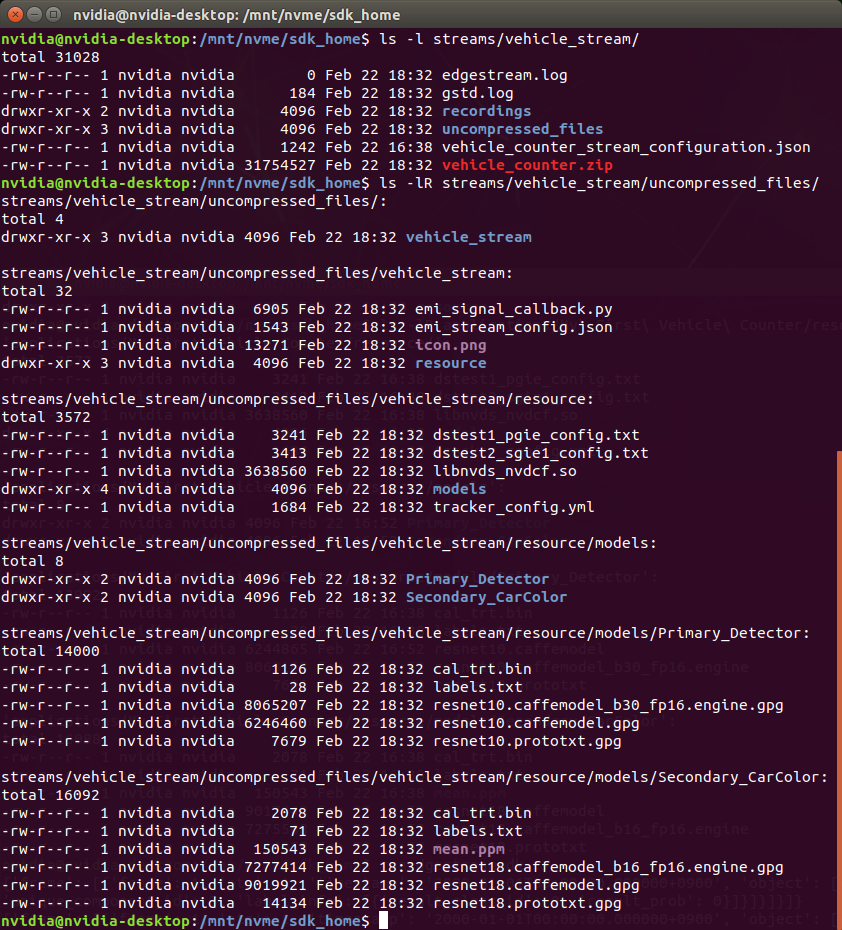
An agent process is already up and running, so has already extracted the EAP package in the “uncompressed_files” folder.
The folder structure exactly the same as the one of the application folder as you have seen. But there are a couple of exceptions. All the trained binaries and related files are encrypted. You can tell by a file extention. Files with “.gpg” are encrypted with GnuPG.
Play a pipeline
Now you are ready to run your application in the stream. Click “Play” button, and wait for a few seconds, you’ll see events are getting generated and passed as actions.
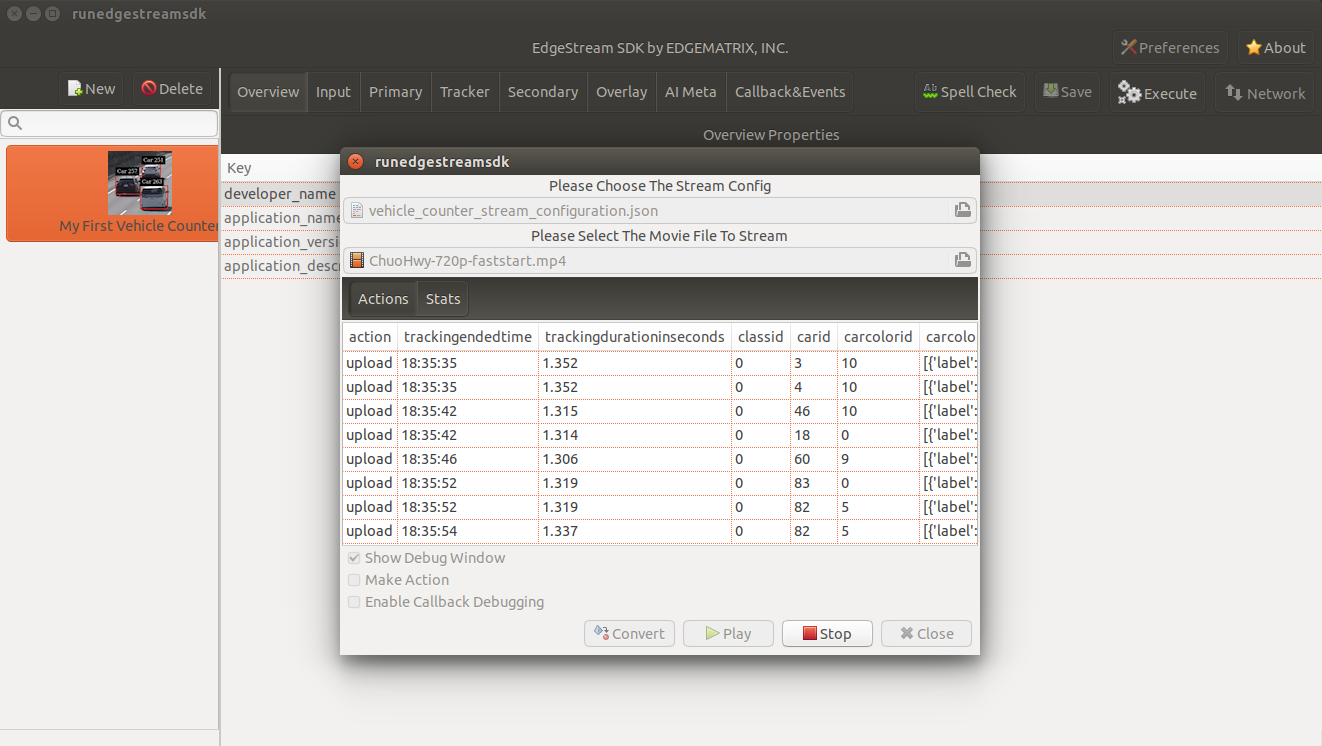
Note that “Show Debug Window” is checked. The debug window is shown, too.
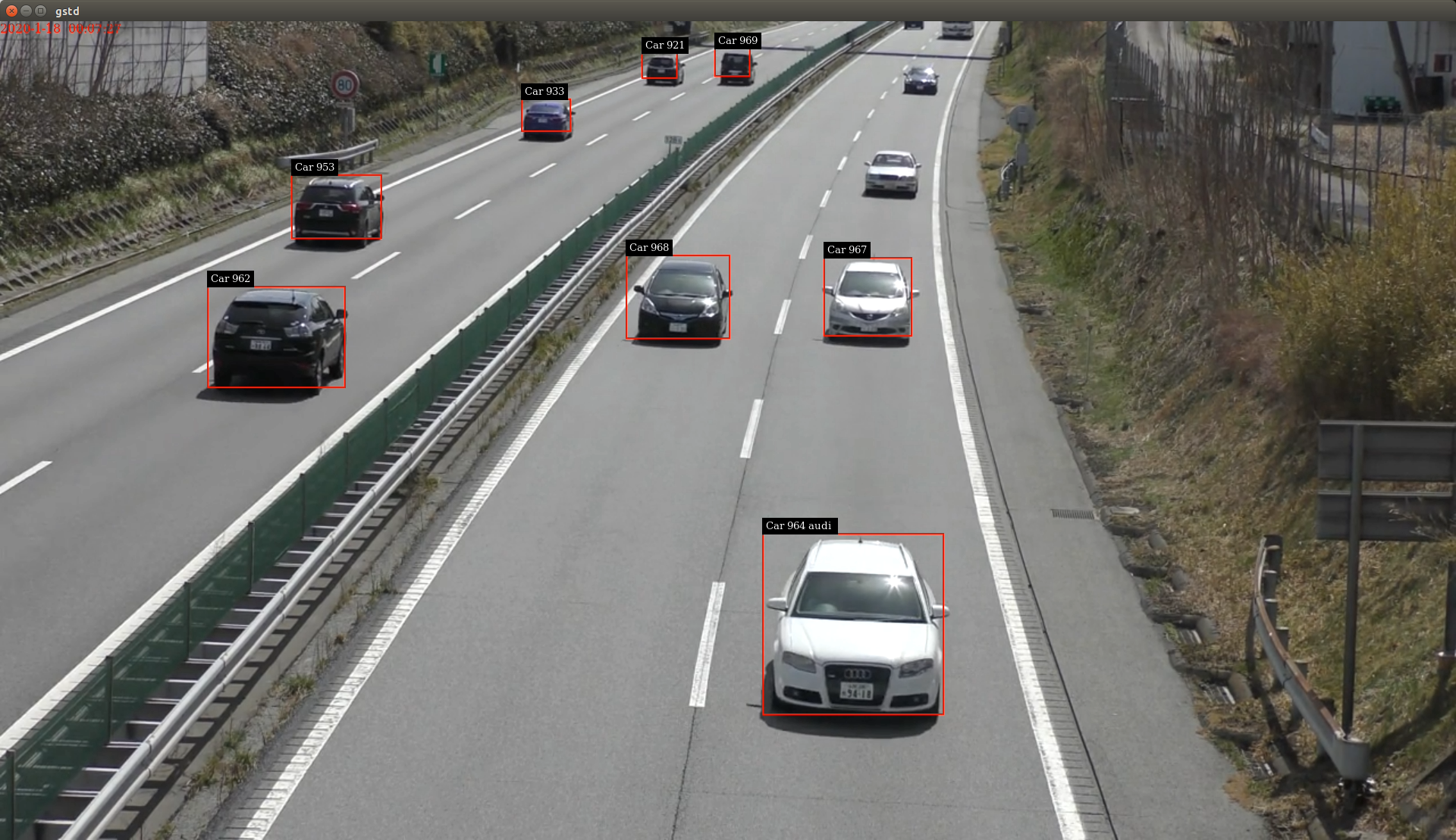
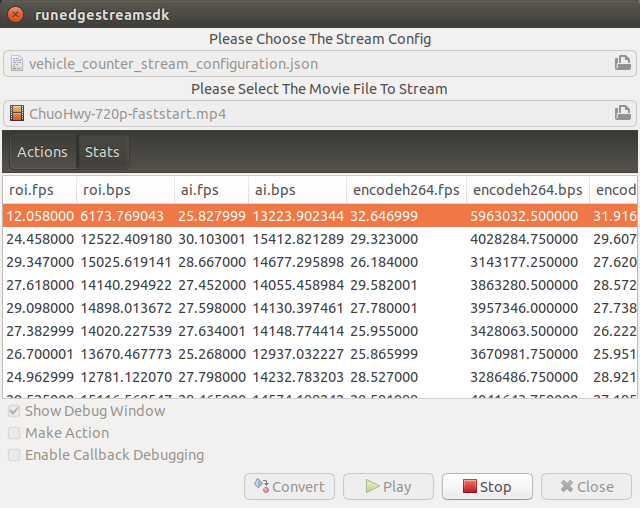
Also, some stats about a running pipeline can be checked.
So, how are those encrypted files treated while playing? Let’s check the folder, again.
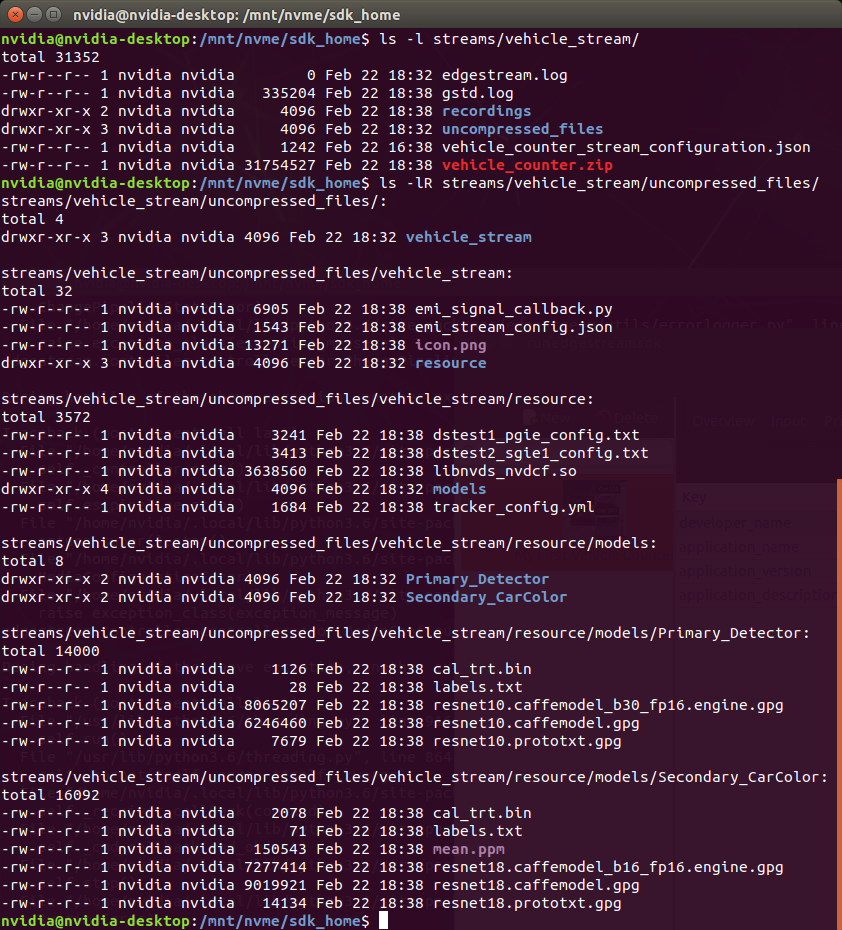
No changes. No decrypted files on a disk. They are decrypted and processed in memory. So even if an AI Box is stolen, your precious trained model binaries won’t be exploited immediately.
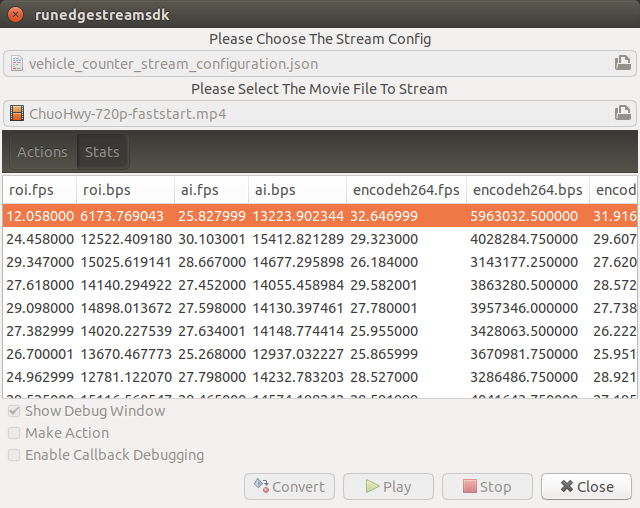
Movie files made by record actions
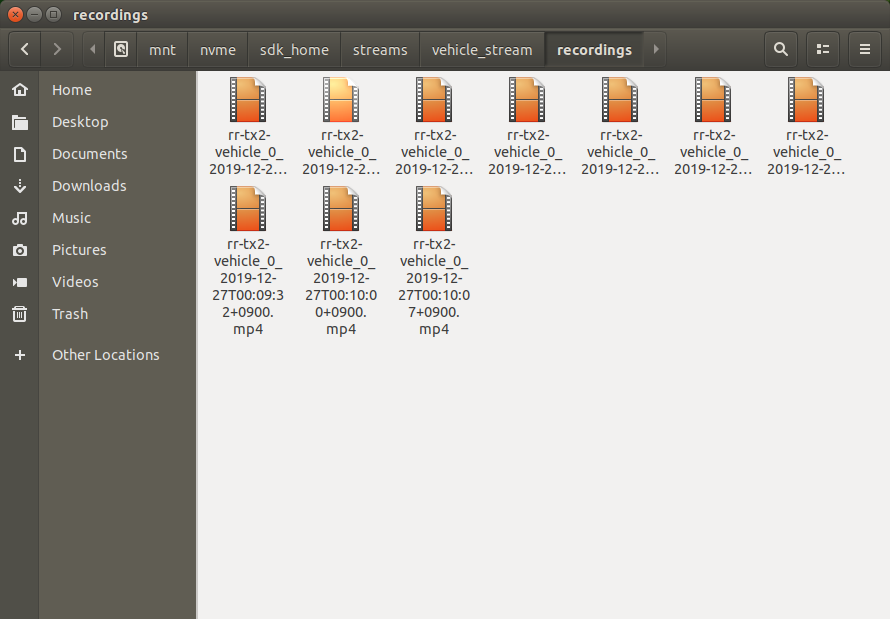
At last, let’s check movie files left, which were made by record action events. Go to $SDK_HOME/streams/vehicle_stream/recordings folder, then you’ll see some files as follows.